
SiteAudit 8.5
Open the browser. Combine the fleet. Turn reporting into action.
Build reusable templates, report across customers, combine fleet data, and export the results your teams need — from a browser on any OS, with no Windows desktop application to install.
Browser-based
Go from sign-in to usable data in one workspace.
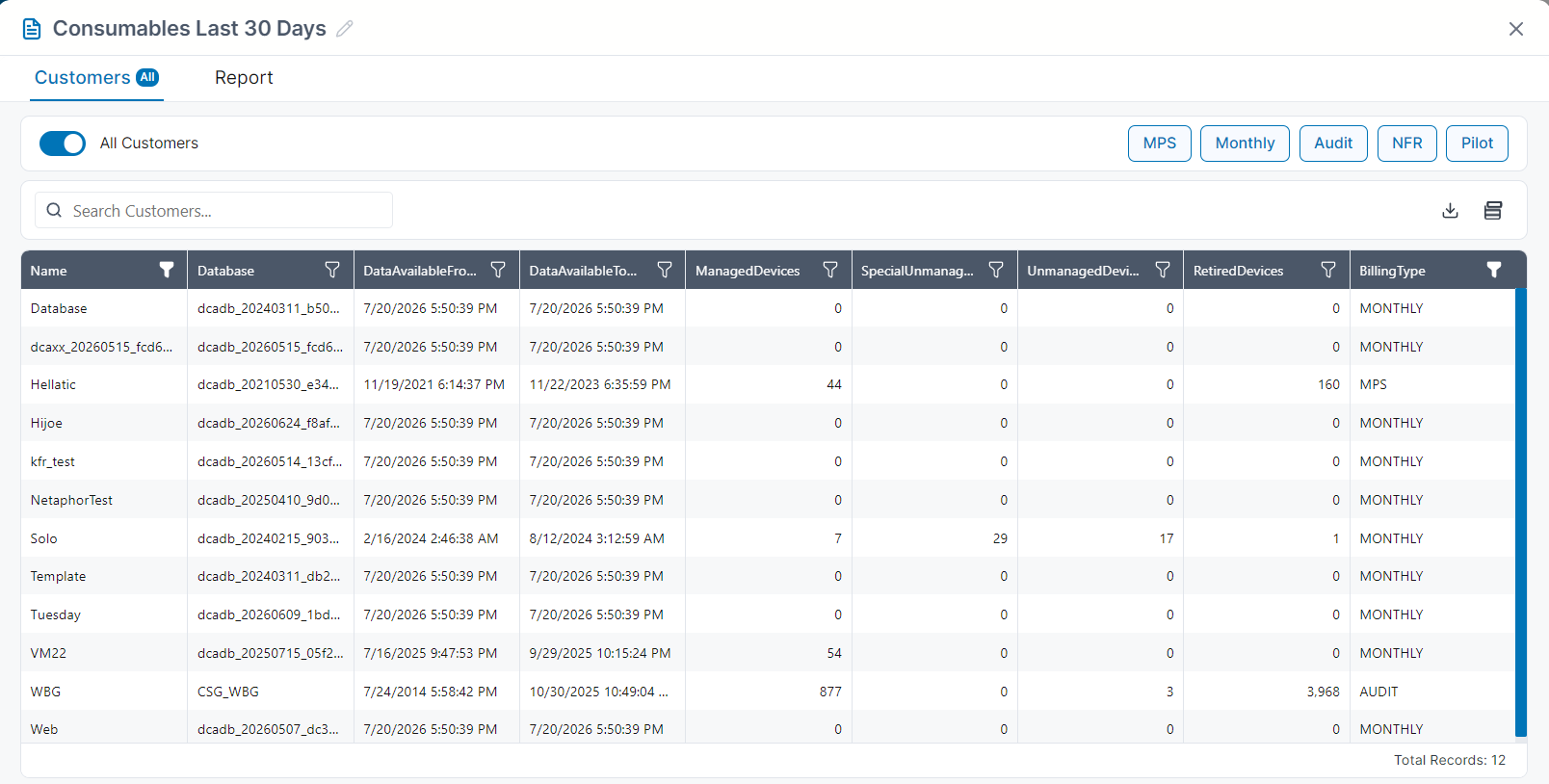
Single sign-on can take users directly into Web Reports. Hosted deployments can report across one or many customers, while on-site users connect automatically to the local SiteAudit database.
- No separate report viewer to install
- Multi-customer reporting in hosted deployments
- Automatic connection to the local SiteAudit database on-site
Custom Templates
Turn standard reports into your own repeatable workflows.
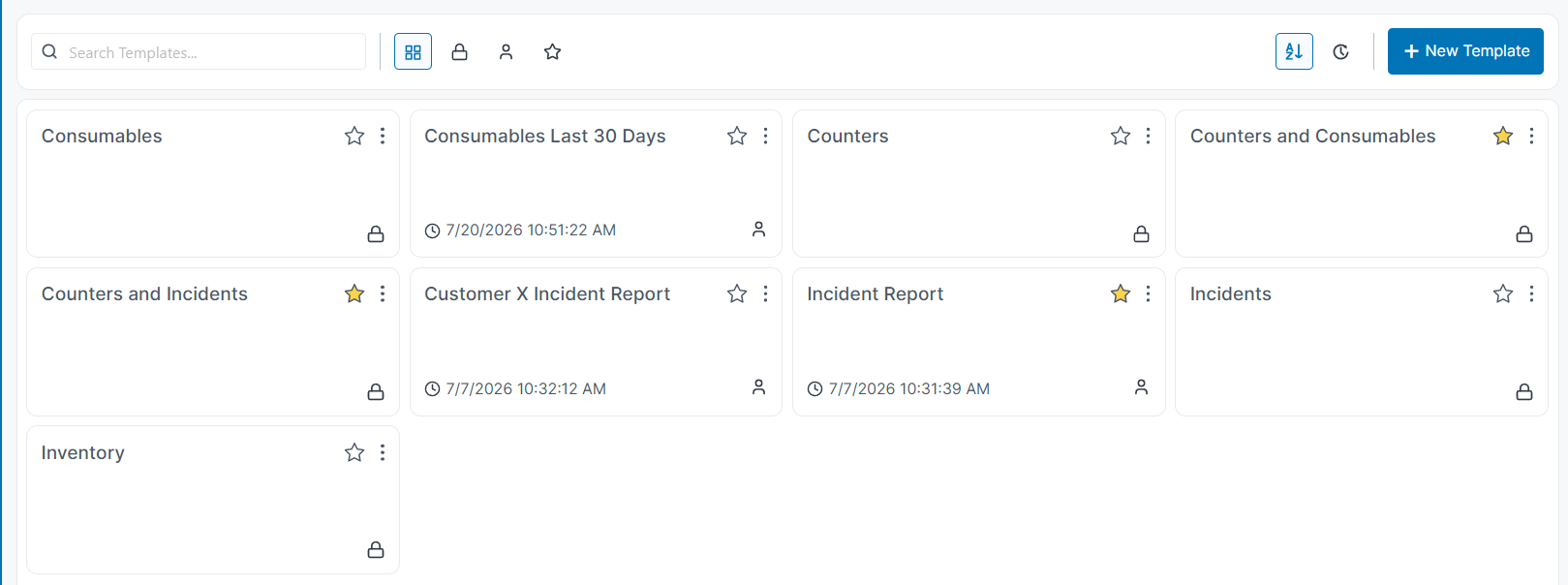
Copy a predefined template or start from scratch. Add the fields that matter to the review, save the design to your account, and let a useful report become the starting point for the next review—or the next customer.
- Predefined templates stay unchanged; copy one before tailoring it
- Search, sort, favorite, copy, and rename templates
- Repurpose a successful design for another customer
Version note: In SiteAudit 8.5, custom templates remain private to their creator.
The Super-View
Combine data that previously lived in separate reports.
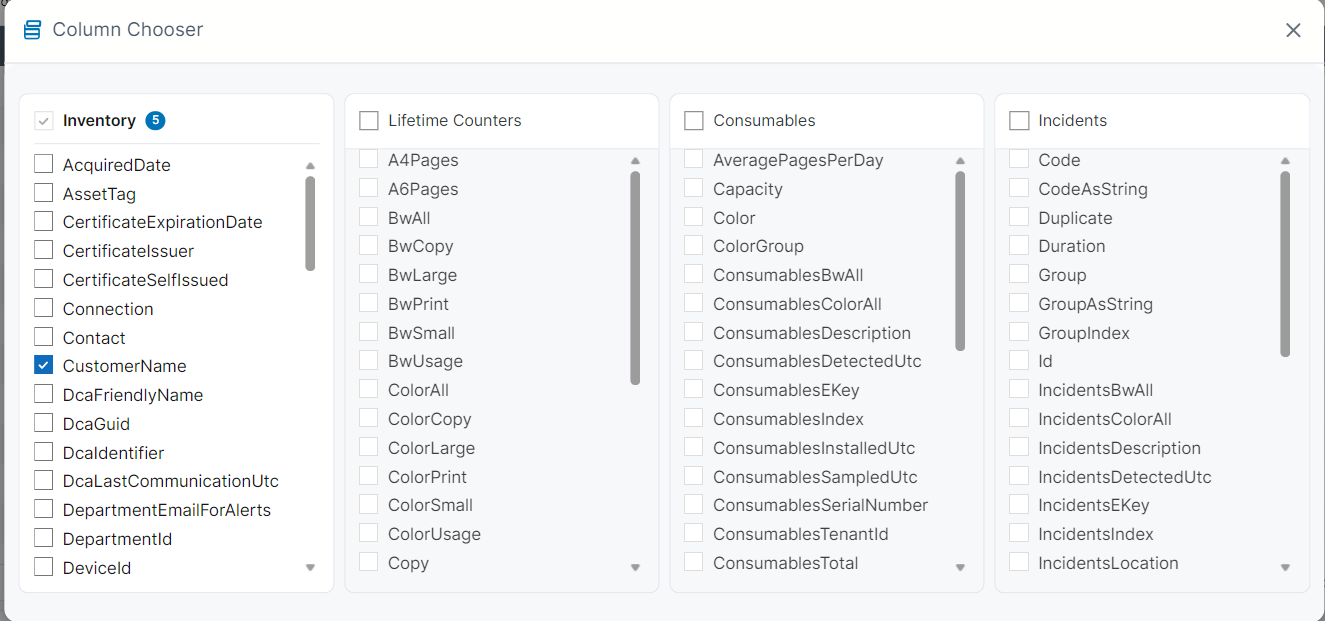
Place device identity and location beside lifetime volume, toner level, and estimated days remaining. A condition becomes easier to understand when the report carries its context with it.
Choose consumables or incidents per template so each device remains represented by one row.
A useful starting point
The first template rarely starts with a field list.
It starts with a question you keep coming back to.
Which condition changes meaning when volume, location, or time appears beside it?
Which recurring review should stop beginning with a blank report?
See what SiteAudit 8.5 can report before you install another viewer.
Download SiteAudit 8.5 to work with your own fleet data, or follow the guide from sign-in through export.