Up to 25,000 devices
One central DCA discovers and monitors the entire estate — global fleets included.

Which devices are on your network, which ones cost the most, which are about to run out of toner, and which are open to attack? SiteAudit finds every print device, every make and model, and shows you what needs attention first.

Before a report can say anything, something has to notice everything. A single central Data Collection Agent — the DCA — discovers and monitors up to 25,000 devices, every make, model, and print device type in the fleet, while staying nearly invisible on the network. Satellite DCAs carry the same collection into remote offices, and everything lands in one secure store: on site, or in the cloud with Hosted. Setup is deliberately unremarkable — download, extract, install. Discovery starts on its own, keeps watch through reboots, and caches data locally until it is safely in the database. The agent also updates itself, so once the quick install is done most teams simply forget it is there — it keeps running as a background service on minimal system resources.
One central DCA discovers and monitors the entire estate — global fleets included.
All manufacturers and print device types, found in the same collection pass — no vendor lock.
Collection is engineered to stay invisible on the network. The traffic guide has the numbers.
Download, extract, install. The agent updates itself and keeps running as a low-footprint background service through every reboot.
These are real SiteAudit deployments. We don’t name customers or partners, but the numbers are theirs.
One customer watches its whole estate with one central agent and seven satellites, and plans to grow to 200,000 devices without changing that design.
Another customer runs a single SiteAudit server for its dealers and manages 180,000 devices in one place.
One partner has over 5,000 collection agents reporting to a single server. Meter readings and supply levels arrive on their own instead of on a service call.
Each one started the same way: download one agent, extract it, install it.
SiteAudit works the way a good service team does: find out what is there, learn what each device is saying, act on it, and turn the result into something the customer is glad to keep paying for.
Find every printer, copier, scanner and wide-format device on the network, including the one in the back office that never made it onto the asset list.
See which devices print all day and which sit idle, which are low on toner, which keep failing, and which have exposed ports or old firmware.
Send the right alert to the right team, ship toner before the cartridge runs dry, and feed clean meter readings into billing and ticketing.
Package what you found into assessments, supplies, security reviews and managed print services that customers renew because they can see what they are paying for.
Which devices will run out of toner this week? Which printers haven’t printed a page in a month? Build that report once in any browser, save it, and run it again for the next review or the next customer. Put inventory beside counters or consumables, work across hosted customers, and export to CSV or Excel. There is no Windows desktop application to install.
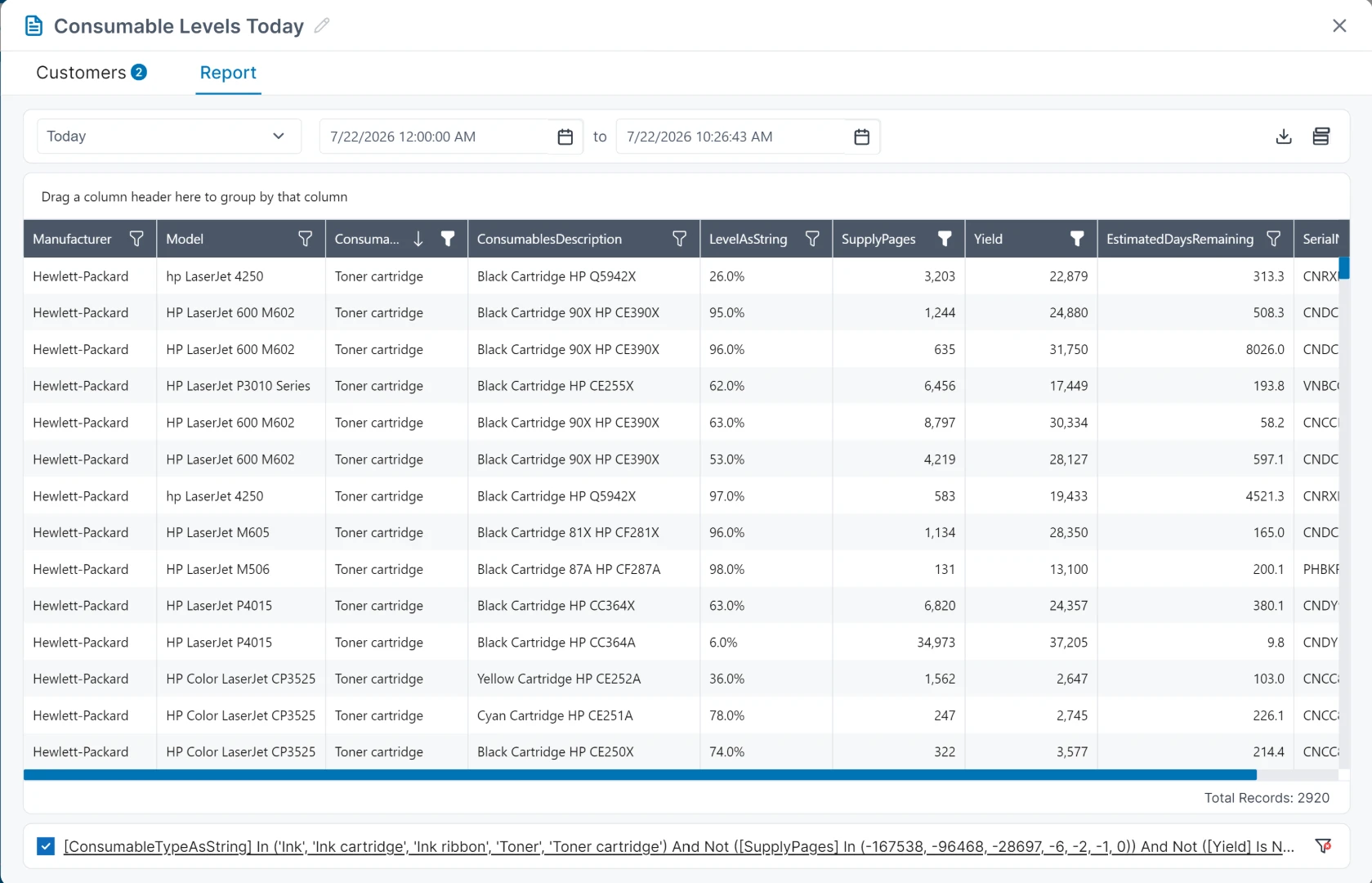
The data that shows a customer where the money is going is the same data a dealer uses to sell the fix.
Find the big color copier sitting idle down the hall while the small desktop printer by accounting runs all day, then move, swap or retire the right ones.
Spot the printer that jams every Monday before the third help-desk ticket arrives, and send the right technician with the right part.
Find the printer with ports open that it doesn’t need, the one running years-old firmware, and the one nobody knew was on the network.
Ship toner while the cartridge still has days left, not after someone finds the printer empty on a deadline, and without a supply closet full of spares.
Bill from the meter readings SiteAudit already collected, not from a spreadsheet someone typed up or a technician’s clipboard.
Turn each finding into a service the customer keeps: monthly fleet reports, security reviews, automatic supplies and repairs that happen before the call.
Fleet data is most useful in the systems your teams already open every morning.
Build executive dashboards and trend views from fleet data for operational and customer reporting.
A plug-in for Excel that pulls data together across customers and shows it in charts and tables for finance, assessment and account teams.
Send device and incident context into CMDB and ticketing workflows for coordinated service response. How the connector works
Connect JIT toner ordering, billing, ERP, CRM, and ticketing systems through governed data interfaces.
There is no multi-year rollout before anything changes. Install the agent in minutes, and the first discovery pass shows what is on the network, what it prints and what it needs that same day. Supplies, incidents, security and integrations add to the return from there.
Install one agent and let it find every print device on your network, or tell us about your fleet and we’ll help you choose OnSite or Hosted.