

Sign in to print or save this article
Printing and saving articles is available to signed-in users. Sign in at http://netaphor.com/support/signin, or request an account at http://netaphor.com/support/request-access.
AA-01279 · http://netaphor.com/kb/AA-01279/asset-tool-import-company-information-with-the-siteaudit-asset-tool
Asset Tool - Import company information with the SiteAudit Asset Tool
Import company information with the SiteAudit Asset Tool
The SiteAudit Asset Tool takes Company information in a CSV File and then transforms the CSV File into two XML files. Once the transformation as has taken place,
a prompt will be generated asking whether to import the information into SiteAudit Viewer or not.
Company Information:
- Organizational hierarchy
- Printer department assignments
- Contact information
- Discovery ranges
- Other data
For more information, read these articles:
- Importing Company Information: Importing Organization
- Discovery Ranges: Importing Discovery Ranges
- Networks addresses: Importing Discovery Networks
- Device IP addresses: Importing Discovery IP Addresses
Before importing, verify that 'Server' and 'Database' fields are correct
- Open the 'Netaphor SiteAudit Asset Tool'
- Click the button 'Company'
- Select 'Import Information...' from the drop down menu
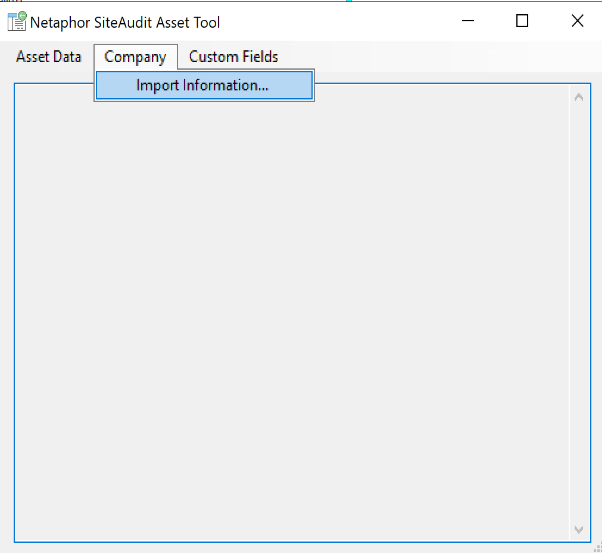
'Select Import Template' dialogue should appear.
- Select the the CSV file to import
- Click 'Open'
- Click 'Yes'
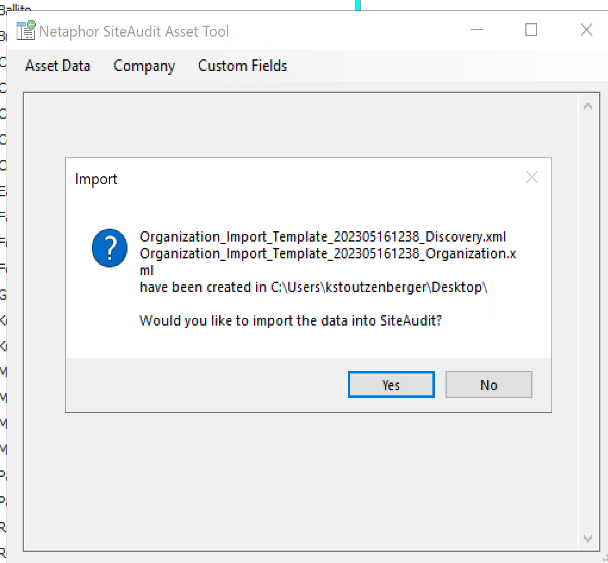
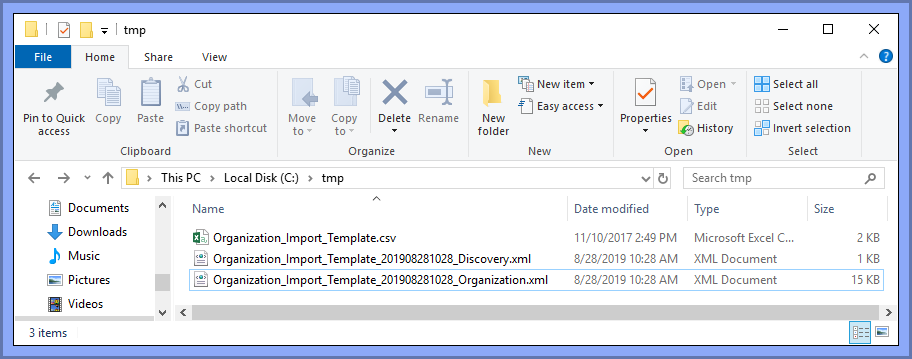
Two new XML files have been created.
The XML files will be imported into the SiteAudit Viewer
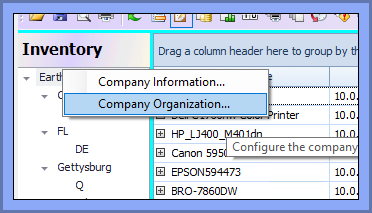
- Right click on the first node in the inventory section
- Select 'Company Organization...'
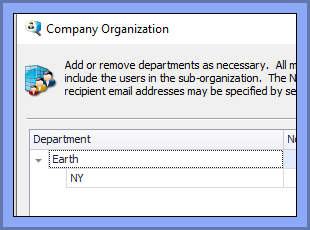
Company Organization Before an import has occurred
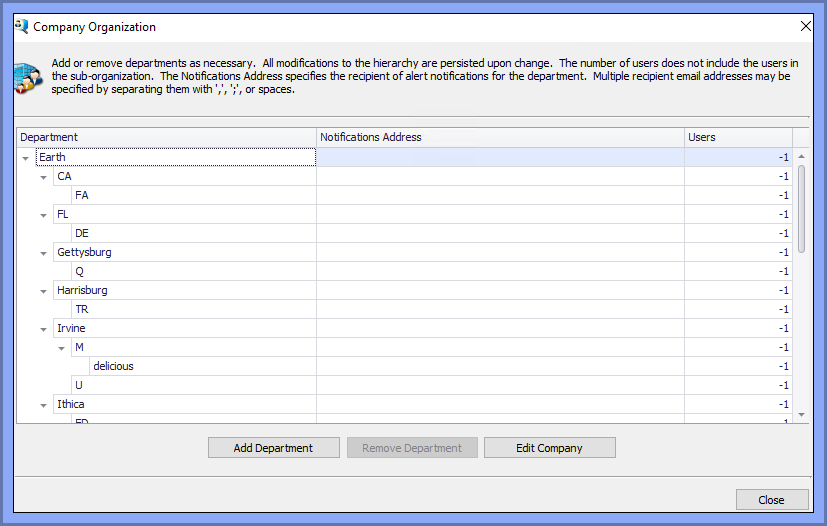
Company Organization After an Import has occurred
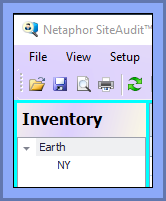
Inventory Before an import has occurred
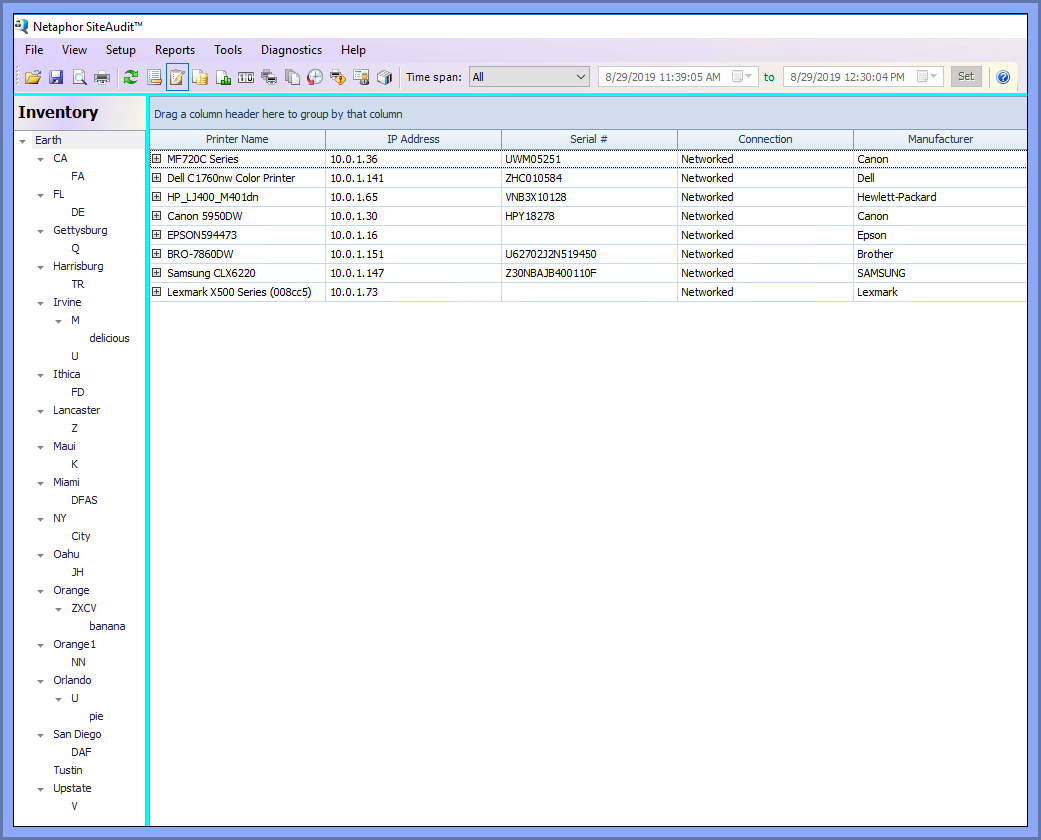
Inventory After an Import has occurred
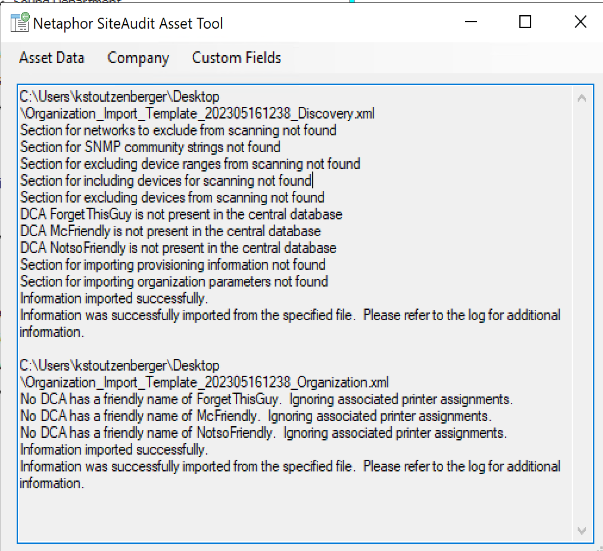
A successful Import log will also be displayed in the Asset Tool's Text Box
Sample Organization Import File
The organization import is a CSV file. A sample import file is installed with the SiteAudit Viewer or SiteAudit Control Panel and is located in the following folder C:\Program Files\Netaphor\SiteAudit\Samples\en\Organization_Import_Template.csv This file is also attached at the bottom of this article and produces the following organization.