

Sign in to print or save this article
Printing and saving articles is available to signed-in users. Sign in at http://netaphor.com/support/signin, or request an account at http://netaphor.com/support/request-access.
AA-01330 · http://netaphor.com/kb/AA-01330/manually-configuring-discovery-for-your-satellite-dca
Manually Configuring Discovery for Your Satellite DCA
Configuring Discovery for Your Satellite DCA
Configuring discovery for a Satellite DCA follows the same process as configuring discovery for the Central DCA. Follow the steps below to configure discovery for your Satellite DCA.
- Access Setup > Discovery in the Hosted Viewer menu options
- Select "My Satellite DCA" from the DCA dropdown menu.
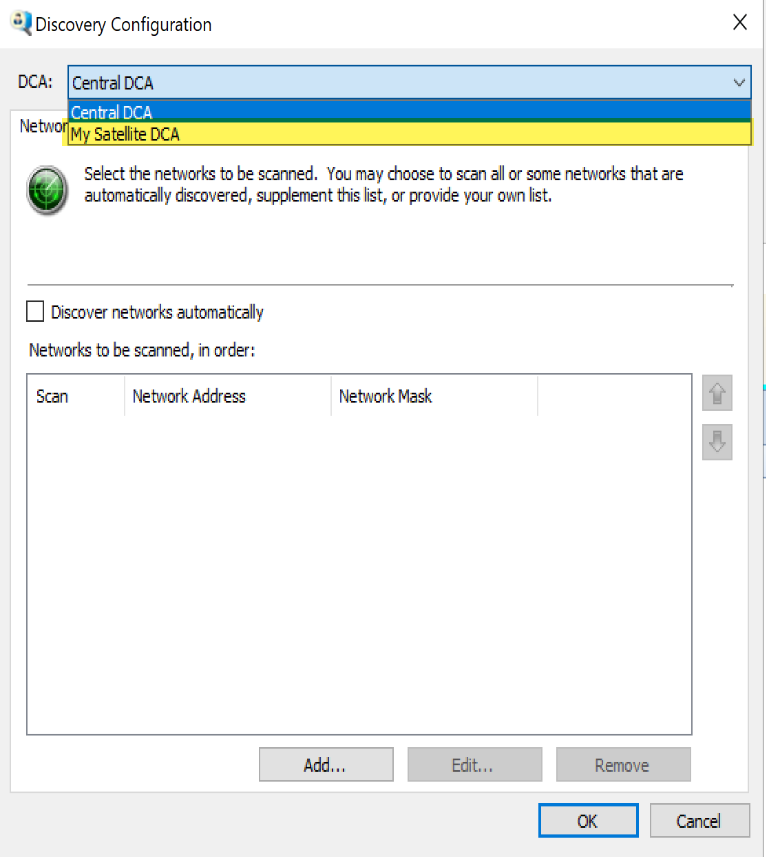
- Configure discovery settings for the Satellite DCA
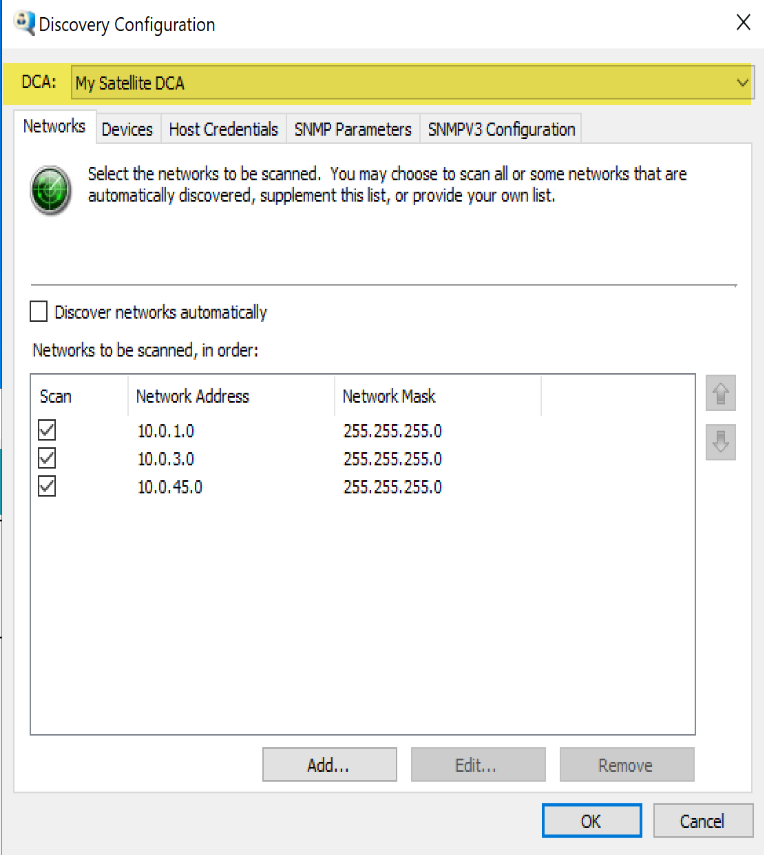
Note: Updating discovery Host Credentials and SNMPv3 Configuration requires specific credentials and can only be performed through the Hosted Client software installed on the machine where the DCA is running. This ensures secure access and management of these sensitive configurations.
Hosted DCA Platform Requirements
See SiteAudit Hosted Platform Requirements for hardware and software requirements for SiteAudit DCAs